SoftMax Pro Software
Software for microplate reader data acquisition and analysis
Flexible multi‑mode performance with audit‑ready data integrity
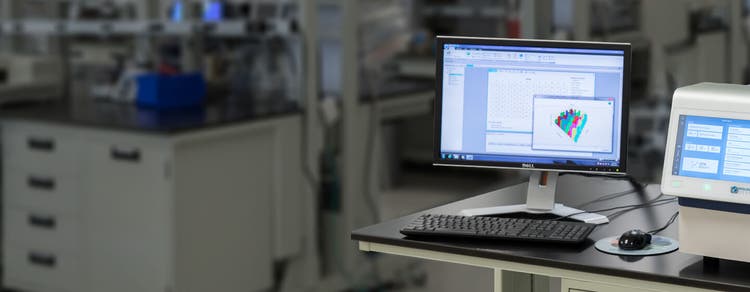
SoftMax® Pro Software is Molecular Devices’ software platform for acquiring and analyzing microplate data. It supports preconfigured protocols and custom assay workflows, enabling researchers to measure, analyze, and publish results from plate‑based experiments within a single application.
SoftMax® Pro Software for Windows® 10 and 11 is designed to support flexible microplate data acquisition and analysis workflows. The software provides ready‑to‑run protocols, analysis algorithms, and configurable settings optimized for data acquired from Molecular Devices microplate readers or imported from other sources. Compliance tools are available to support regulated laboratory workflows, including end‑to‑end chain of custody.

Simplify data measurement
SoftMax® Pro Software provides multiple ways to initiate microplate measurements, including prewritten protocols with defined acquisition settings or custom experimental parameters configured by the user. These options support consistent setup of plate‑based experiments across workflows, helping teams maintain continuity as methods evolve.

Import and analyze complex data
The software enables import of raw microplate data acquired from scientific instruments and supports consolidated data reduction from multiple data sources. Built‑in analysis tools help apply consistent data evaluation methods across experiments.

Publish like a pro
SoftMax® Pro Software includes tools for generating reports in multiple output formats. Data can be viewed in a lab notebook‑style layout, saved as PDF files, exported to Excel®, or exported as XML for integration with laboratory information management systems (LIMS).
Features

Built-in protocols
SoftMax® Pro Software includes a library of preconfigured protocols designed to support common microplate assay workflows. Protocols define acquisition parameters and can be used with compatible Molecular Devices reagents, validation plates, and adapter plates.

Flexible calculations
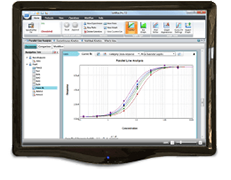
SoftMax® Pro Software provides data analysis tools including curve fitting options, cross‑plate analysis, interpolation, and automated calculations for commonly used metrics such as relative potency, EC50, and Z‑factors.

Secure electronic record keeping
The software supports controlled user access through permission‑based roles and unique user logins. Electronic records include features to support verification, authorization, approval, and audit trail review when compliance tools are enabled.

Advanced reader control
The software supports custom assay workflows, including kinetic read setup and control of measurement sequences. Users can pause and resume kinetic reads and apply discontinuous kinetics where supported by the instrument.

Project‑level data organization
Multiple plate reads can be grouped within a single protocol for organized data review. Results, pass/fail conditions, graphs, and images can be viewed together to support review of overall project results and faster decision-making.

Microplate reader validation tools
SoftMax® Pro Software supports use of microplate reader validation tools to help verify instrument performance. These tools are designed to streamline validation activities when compared with managing validation across multiple platforms.
Latest Resources
Customer Breakthrough
Specifications & Options of SoftMax Pro Software
Helpful Tips:
- To prevent data loss, turn off all sleep and hibernation settings for the hard disk, the CPU, and the USB ports
- Disable automatic Windows Updates
- Update WIndows manually when the instrument isn't being used by the software; these options can be enabled in Windows Control Panel
Note: Installing and using the SoftMax Pro Software on the Windows XP operating system is no longer supported. The software is neither tested nor validated on Windows XP.
Resources of SoftMax Pro Software
SoftMax Pro 7 Software
SoftMax Pro Standard Software
Windows 10 and 11 compatible
One year subscription to the latest version of SoftMax Pro 7. Includes one activation key, which expires after one year. Annual renewal.
Part number:
SMP7 PROF SUBSCR
Special pricing for verified academic institutions.
To take advantage of our academic discount for SoftMax Pro, please contact your local sales representative or call 1 (877) 589-2214 to place your order.
For contact numbers outside the US, please visit our contact page.
Non-expiring license for the latest version of SoftMax Pro 7. Includes four activation keys.
Part number:
SMP7 PROF
Special pricing for verified academic institutions.
To take advantage of our academic discount for SoftMax Pro, please contact your local sales representative or call 1 (877) 589-2214 to place your order.
For contact numbers outside the US, please visit our contact page.
SoftMax Pro Importer XLS
Requires SoftMax Pro 6.4.1 or higher
One year subscription to enable import of data into SoftMax Pro from Excel based template.
Includes one activation key, which expires after one year. Annual renewal.
Part number: (Click below to purchase/download)
SMP.IMPORT.XLS
SoftMax Pro Importer XLS and XML
Requires SoftMax Pro 6.4.1 or higher
One year subscription to enable import of data into SoftMax Pro from Excel based template or XML file.
Includes one activation key, which expires after one year. Annual renewal.
Part number: (Click below to purchase/download)
SMP.IMPORT.XLS.AND.XML
Non-expiring license to enable import of data into SoftMax Pro from Excel-based template or XML file.
Includes one activation key for one computer.
Part number: (Click below to purchase/download) SMP.IMPORT.XLS.AND.XML.NONEXP