Axon Instruments Patch-Clamp Amplifiers
Patch-clamp amplifiers from single channel, whole-cell, and two electrode recordings
Patch-clamp amplifiers from single channels to large macroscopic recordings
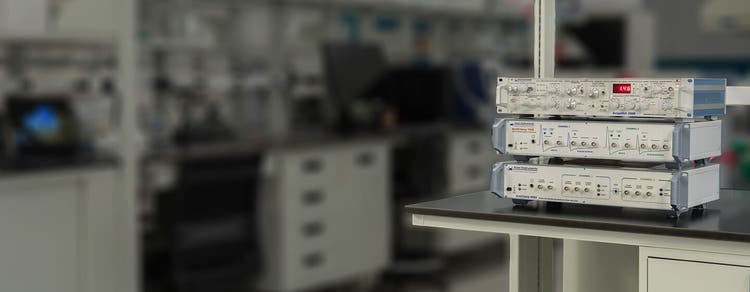
The Axon Instruments® series of amplifiers provide best-in-class solutions for the entire range of patch-clamp experiments. The portfolio of amplifiers includes Axopatch™ 200B for ultra low-noise single-channel recordings, MultiClamp™ 700B for whole-cell voltage-clamp and high-speed current-clamp recordings, and Axoclamp™ 900A for two-electrode voltage-clamp and current-clamp recordings.

Maximize signal to noise ratio
The Axopatch 200B Capacitor Feedback Patch Clamp Amplifier offers one of the lowest-noise single-channel recordings available via innovative capacitor-feedback technology.

Perform multi-channel experiments
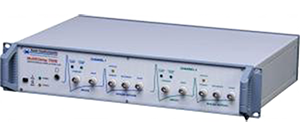
The MultiClamp 700B Microelectrode Amplifier enables whole-cell voltage-clamp and current-clamp recordings. It is the most versatile amplifier in the portfolio.

Measure large currents
Large output compliance range of our Axoclamp 900A Microelectrode Amplifier facilitates the measurement of large and rapid voltage-clamp and current-clamp recordings.
Features

Actively cooled headstage
The Axopatch 200B amplifier features proprietary technology that provides active headstage cooling that reduces electrical noise close to the theoretical limits of physics.

Software control of settings
The MultiClamp 700B and Axoclamp 900A amplifiers offer software control. Software control streamlines setup, and enables automation of parameters, telegraphing, and advanced protocols.

Support up to four headstages
The MultiClamp 700B supports up to two primary CV-7B headstages and two optional auxiliary headstages (HS-2 or VG-2 type) enabling multi-channel recording for cellular network studies.

Large output compliance range
The Axoclamp 900A amplifier supports the measurement of larger currents and ensures faster clamp speed (±180 V in TEVC and HVIC modes).

Multiple modes of operation
The Axoclamp 900A amplifier offers 5 modes of operation: current clamp, discontinuous current clamp, two-electrode voltage clamp, discontinuous single-electrode voltage clamp, high-voltage current clamp.

Works with any data acquisition system
The family of amplifiers integrates with most data acquisition programs. The pCLAMP™ 11 Software and DigiData® 1550B system for data acquisition and analysis provide optimal performance.
Which amplifier is right for me?
FAQ
What is the best amplifier for doing slice recording?
MultiClamp 700B amplifier is the best fit for your application. It comes with two headstages and is ideal for both voltage-clamp and current-clamp recording.
Is it possible to switch between voltage and current clamp mode automatically in the MultiClamp 700B amplifier?
Yes, it can be done. The auto mode switching feature in the MultiClamp 700B amplifier allows automatic switching between voltage and current clamp mode or vice versa. The mode-switching checkbox on the Commander software is required to be enabled.
How do I get a “Fresh Start” for MultiClamp 700B Commander software?
On the top row of the MultiClamp 700B commander software, there is a list of icons. The fifth icon is the Reset to Program Defaults button. Click this button to restore the default settings for MultiClamp 700B Commander software.
The overload light illuminates on my amplifier when the pipette is immersed into the bath solution. What should I do?
The first thing to try is to replace the grounding cable/electrode or the bath reference electrode pellet/wire. If you use an agar bridge as the grounding/reference electrode, replace it with a fresh one. Second, clean the electrode holder. Disassemble the electrode holder, rinse all parts in distilled water several times and dry all holder parts thoroughly and reassemble.
What is liquid junction potential? How does it form in a patch clamp experiment? Should it be corrected or not?
When two solutions having different ionic concentrations and mobilities are in contact, a liquid junction potential (LJP) is formed between these two solutions. This happens when the patch pipette comes into contact with the bath solution. When the patch pipette is first inserted in the bath, there are voltage offsets that are corrected by the amplifier when the current is zeroed (i.e., in voltage-clamp mode). The offsets consist of LJPs and potential differences between solid electrodes and the solutions they are in contact with.
After achieving a high resistance seal (gigaseal) with the membrane, the pipette solution is effectively no longer in direct contact with the bath solution. Thus, its LJP disappears, but its compensating amplifier offset remains. Therefore, the LJP should be taken into consideration for correction or not. How large the liquid junction potential between two solutions depends on the difference in ionic concentration and mobilities. If it is very small, it might be neglected and not be corrected. However, if it is a large value, uncorrected LJP might affect accurate measurements, such as the IV plot and reversal potential. It is absolutely required to be corrected.
Latest Resources
Featured Applications
Customer Breakthrough

SUCCESS STORY
University of Michigan use our Axon instruments to investigate NMDAR receptor blockers

Applications of Axon Instruments Patch-Clamp Amplifiers
Specifications & Options of Axon Instruments Patch-Clamp Amplifiers
* Holding level, current passing, filter option, multiple signal outputs, pipette offset, fast and whole cell capacitance compensation, series compensation, pipette neutralization, bridge balance
Resources of Axon Instruments Patch-Clamp Amplifiers
Axon Instruments Patch-Clamp Amplifiers
Headstages
Electrode holders, adapters, and holder components
Model Cells
Cables
Miscellaneous