Bioanalytical Software
Navigation

MetaMorph Microscopy Automation & Image Analysis Software

MetaMorph® Microscopy Automation & Image Analysis Software is the industry standard for automated microscope acquisition, device control, and image analysis, bringing microscopists greater understanding of cell morphology, function, and behavior for over 25 years.

Device Control: MetaMorph Software is the ideal "glue" for easily integrating dissimilar fluorescent microscope hardware and peripherals into a single custom workstation. Each custom system can be uniquely suited for virtually any experimental paradigm. System integration is made even easier by supporting all major brands of automated microscopes and scientific CCD cameras. This means MetaMorph Software can be used as a common software platform within a core facility or laboratory minimizing maintenance, training, and support of customers and end-users.

Analysis: Acquiring the image is only the first step. MetaMorph Software provides all the tools needed to perform meaningful analysis of acquired images. Common tools for thresholding, filtering, and feature extraction are included as one would expect. However, MetaMorph Software provides other more sophisticated tools such as the integrated morphometry analysis (IMA) module. IMA allows objects to be measured and separated into user-definable classes, based on any combination of measured morphometric parameters, such as shape, size, or optical density. A point-and-click interface, linking images and spreadsheet results, makes it easy to choose representative objects for classification and measurement.

MetaMorph Software also offers many user-friendly application modules for biology-specific analysis such as cell signaling, cell counting, and protein expression. Each application module features a dedicated dialog box with intuitive setting selections, improved segmentation through adaptation to local content, as well as both field and cell-by-cell data logging. After analysis is complete, users can interactively view tabular and image results side by side for their cellular imaging application.[link to application module product description page]

Automation: Often the hardest task with any imaging system is automating complex, multi-parametric experimental protocols. MetaMorph Software handles this elegantly with its multi-dimensional aquisition (MDA) module. MDA guides the user through the setup of each acquisition dimension (time, z, fluorescent channels, stage position). Once a particular acquisition is completed through the MDA interface, all settings can be stored and recalled for later use making it easy to perform repeated operations.

For those who want to further automate acquisition, processing, and analysis routines, MetaMorph Software features sophisticated and powerful macros called journals. Journals record and save a series of tasks without the need for programming. A graphical editor allows for easy creation and editing of journals using a drag-and-drop interface.

MetaMorph Software is a modular platform that allows you to select only the components you need. Modules are available for:

  • Camera control and acquisition
  • Microscope automation and control
  • Sample positioning and specimen illumination
  • Application modules to make complex, repetitive tasks easier to perform

MetaMorph® Microscopy Automation & Image Analysis Software features:

  • Largest set of supported hardware device drivers allows researchers to build custom imaging systems to meet their specific application need.
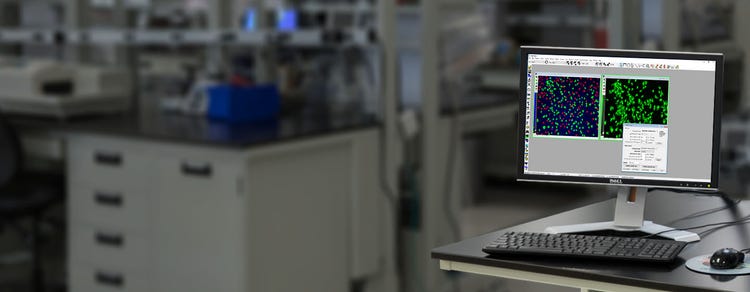
Typical MetaMorph Software automated system.
  • Multi-dimensional acquisition (MDA) module allows users to easily perform complex acquisition sequences using a simple, guided user interface.
  • Integrated morphometric analysis (IMA) measures and categorizes objects into discreet user-definable classes, based on any combination of morphometric parameters, such as shape, size, or optical density.
  • Linked images, graphs, and tables allow users to easily view, classify, and correlate images with extracted data.
  • Device and camera streaming is a proprietary technology to accelerate image capture, maximizing hardware rate and peripheral device synchronization during acquisition. This leverages a camera's ability to simultaneously transfer images to memory during image acquisition, capturing dynamic cellular events in applications such as calcium ratio imaging.
  • Custom journals enables you to further automate acquisition, processing, and analysis routines.  Each journal will record and save a series of tasks without the need for programming. A graphical editor allows you to easily create and edit journals using a drag-and-drop interface.
  • 4D viewer with 3D measurements facilitates visualization of multi-dimensional data sets, stacks, and sequential images. Users can simultaneously view multiple Z sections, wavelengths, time points, and positions in a single intuitive viewing window, as well as binarize multidimensional image data into discrete objects for 3D isosurface viewing and rotation. Isosurfaced objects selected by mouse are linked to an interactive spreadsheet of 3D object measurements, including volume, intensity, and several other measurement parameters.
3D view of neuron.
  • Scan slide module is ideal for large tissue samples, automatically acquiring multiple images larger than the field of view and then stitching them together. The unique ability of the MetaMorph Software to scan a defined area based on two distinct points (upper left and lower right corners) ensures you reproducibly capture high resolution images while taking the guess work out of tiling experiments.
Scanslide application module in action.
  • Live replay captures real time events such as in FRAP, FRET and other laser-based studies, time lapse experiments, live cell imaging, and digital microscopy. Buffering a specified duration of recent live video to memory allows the interactive capture of complete events of interest, including the buffered duration leading up to the event.
  • Standard image enhancements emphasize image characteristics that may not be discernable in the original image, making subsequent analysis and presentation more informative. Standard tools include standard kernel and morphometric filters, image arithmetic, and stack visualization.
Morphology filters in action.